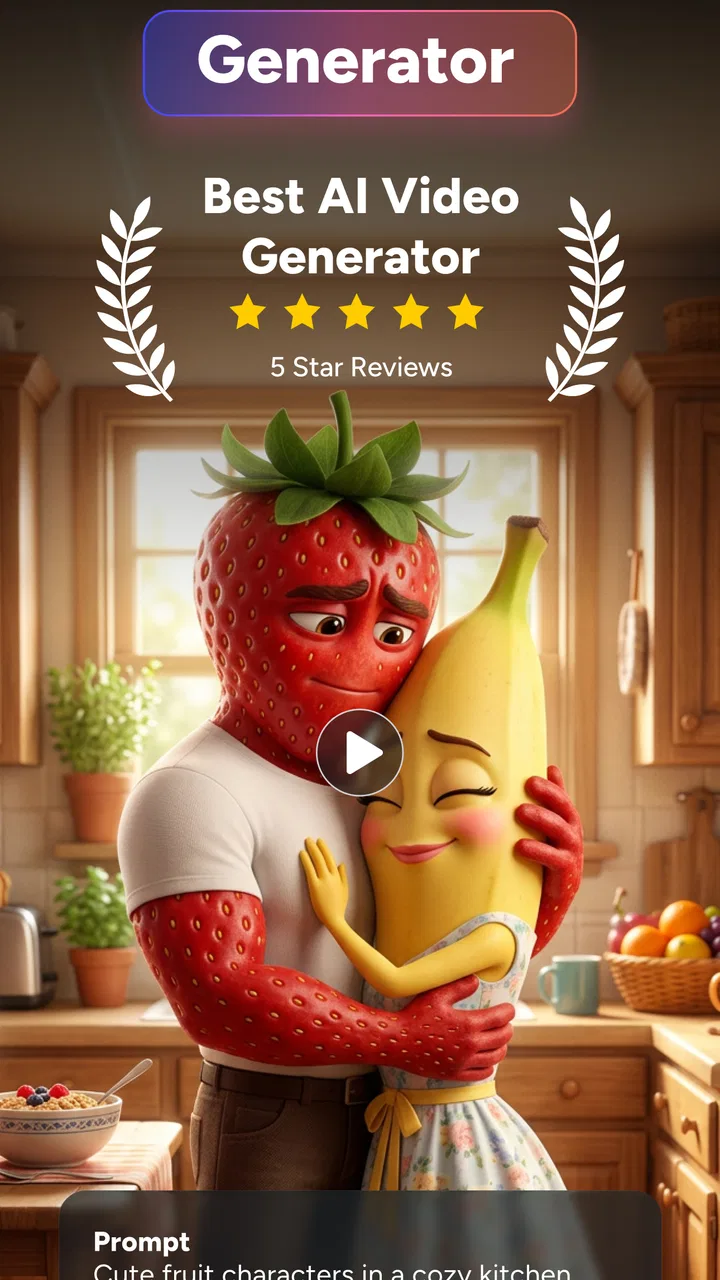
AI Video Generator - OpenVideo
- 4.4
- Rating
- 50.00K
- Installs
- Free
- Price

 Analysis by App-foxy
AI Video Generator - OpenVideo is the kind of art and design app I reach for when I have an idea for a short visual but no interest in learning a full editing suite first. It turns written prompts and photos into video experiments, which makes it approachable for quick social posts, mood pieces, storyboards, and personal projects. My overall impression is positive, but the experience depends heavily on a reliable connection and on keeping expectations realistic: this is a fast idea-to-video tool, not a replacement for a complete professional editor.
Developed by 88 Tech, the app is free to install and aimed at Teen users. It has built a respectable audience, with more than 50 thousand installs and a 4.4 average from roughly 3 thousand ratings. The current release is version 3.3.0, and it runs on Android 8.0 or later. Those details make it accessible to many older phones, although the quality of the final result will still depend on the device, the source image, and the network connection used during generation.
What the app feels like in everyday use
The central appeal is simple: I can begin with a sentence or a picture instead of a timeline full of clips. Text-to-video is useful when I want to explore an atmosphere before filming anything. I might describe a rainy street at night, a paper boat crossing a glowing puddle, or a product floating through a soft studio scene. Photo-to-video is more practical when I already have something concrete, such as a travel photo, a sketch, or an image for a social post.
You May Also Like

 Blood Strike: 2.5 Anniversary
Blood Strike’s Loadouts Turn Every Drop Into a Tactical Gamble
A close look at Blood Strike’s custom loadouts: how fast access to signature weapons reshapes its battle royale rhythm, rewards preparation, and narrows the gap between fights.

 Pandora - Music & Podcasts
Pandora’s Music Is Easy to Start, but Harder to Recover
Pandora’s strength is its low-effort path from a seed to a station. Its weak spot is how much confidence it asks you to place in connection, setup, and quiet recovery.

 8 Ball Pool
8 Ball Pool Is Built on Rivalries, Rematches, and Routine
A close look at the rivalries, rematches, shared routines, and unanswered safety questions that turn a quick pool match into a persistent mobile community.

 Samsung Music
Samsung Music’s Quiet Strength Is Playing What You Already Own
Its reach comes less from spectacle than from dependable access to a personal library. That simplicity is both the app’s strongest retention engine and its ceiling.

 AccuWeather: Weather Radar
AccuWeather Review: A Quick, Clear Forecast for Everyday Decisions
For everyday plans, the best forecast is the one you can understand quickly. AccuWeather makes rain timing, radar, and local conditions easy to act on, with a few trade-offs.

 Hill Climb Racing
Why Hill Climb Racing Still Turns Crashes Into One More Run
A tiny car, a bumpy hill and one more upgrade: Hill Climb Racing keeps resurfacing because its simple chaos makes every near-miss feel personal.
More From Our News Desk



That simplicity changes the creative process. Traditional mobile editors are excellent when I already have footage and know how I want to arrange it. OpenVideo is more useful earlier, when I am still testing an idea. I can use it to discover whether a concept has visual potential before spending time on a longer edit. The trade-off is control: a conventional editor gives me precise cuts, transitions, audio placement, and manual timing, while an AI generator interprets my request and may produce movement that is attractive but not exactly what I imagined.
I found that the wording of a prompt matters more than a beginner might expect. Short descriptions can produce interesting surprises, but they can also leave too much open to interpretation. Adding the subject, setting, lighting, movement, and mood gives the generator a clearer direction. I prefer building prompts in layers rather than writing a long paragraph full of unrelated instructions. For example, I first define the subject and location, then add the camera feeling and atmosphere. This makes it easier to understand which part of the idea needs changing after a result comes back.
The most useful mindset is to treat each generation as a visual draft, not a guaranteed final take. That approach prevents frustration and makes the app more valuable. A result that is not ready to publish may still reveal a color palette, composition, or motion idea that I can recreate elsewhere. It is especially handy for creators who need several directions quickly, rather than one perfectly controlled animation on the first attempt.
Where a connection becomes part of the creative tool
Because the app generates video from prompts and images, network quality shapes the experience more than it does in a basic drawing or trimming app. I notice the difference most when I am away from a stable connection. A generation request is not the same as opening a saved photo: it involves sending creative input, waiting for processing, and receiving a result. When the connection is weak, the waiting becomes part of the workflow, and a quick idea can lose momentum.
This matters in places where mobile coverage changes from one room to another. I would not begin an important generation while boarding transport, walking through a crowded event, or relying on a connection that frequently switches between networks. A prompt can be ready, yet the useful moment may pass before the result arrives. For casual experimentation that is acceptable; for a time-sensitive post or client presentation, it is a real limitation.
I also recommend preparing the creative material before starting. Choose the image, write the prompt in a notes app, and decide what the video is supposed to communicate. That small habit reduces the time spent connected and avoids repeatedly reopening the generator just to rewrite an unclear request. It also makes comparisons fairer because I can change one element at a time instead of forgetting what I asked for in the previous attempt.
Using it on a phone without turning the process into a chore
OpenVideo fits best into short mobile sessions. I can test an idea while waiting for an appointment, create a visual response to a message, or turn a still image into something more lively for a personal update. The phone-first format is convenient because the source material is often already in the camera roll. There is no need to transfer every image to a computer before exploring it.
At the same time, a small screen makes evaluation less reliable. A generated clip may look impressive in a thumbnail and reveal awkward motion when viewed carefully. I prefer checking the result in a quiet moment rather than approving it immediately from a notification or a busy public place. Fine details, faces, hands, text, and edges deserve a closer look, especially when the image contains several objects moving at once.
A useful mobile workflow is to separate creation from finishing. I use the app for the imaginative step, then move to a familiar editor if I need exact trimming, captions, music, aspect-ratio changes, or a consistent sequence of clips. This division plays to each tool's strengths. OpenVideo supplies a starting visual; the editor handles the decisions that require direct control. Trying to force the generator to perform every stage can make the process feel less predictable than it needs to be.
Photo-to-video is particularly effective for ordinary moments that do not justify a full production. A family picture, a handmade illustration, or a landscape can gain gentle movement and become more engaging in a short message. I would still keep the prompt restrained. Asking for subtle camera motion or a calm environmental effect is generally a better creative direction than demanding several dramatic actions from a single still image.
What happens when generation stalls or the result misses the point
Connectivity problems are not the only source of friction. AI interpretation can miss the subject, exaggerate movement, or produce a clip whose mood differs from the prompt. When that happens, I avoid changing everything at once. I simplify the wording, remove decorative details, and make the main action explicit. If I started with a crowded scene, I try a cleaner version with one subject and one movement. That gives me a better chance of identifying whether the problem came from the prompt or from the source image.
If a request appears to stall, repeatedly tapping the generation control is not a good recovery strategy. It can make it difficult to tell whether the first request is still being processed or whether a second attempt has begun. I prefer waiting briefly, checking the connection, and then reopening the workflow only when the app clearly returns control. This is a small but important habit for anyone using a limited mobile connection or trying to avoid unnecessary repeated processing.
For important work, I keep the original image and prompt together outside the app. That way, a failed session does not erase the idea itself. I can retry later without reconstructing the wording from memory. It also helps when comparing variations: I can preserve the strongest version and adjust only the camera movement, mood, or subject description in the next attempt.
The recovery process is easier when I define success before generating. If the goal is a background loop, I care about atmosphere and continuity. If the goal is a product teaser, I care more about keeping the object recognizable. If the goal is a story concept, an unusual result may actually be useful. This distinction prevents me from judging every output by the same standard and clarifies when to keep refining versus when to move on.
Managing mobile data, time, and in-app spending
I would use a stable Wi-Fi connection for repeated generations whenever possible, especially when experimenting with several versions. That is not because the app promises a particular connection mode, but because video creation can involve more waiting and data exchange than a simple still-image tool. On a mobile plan, it is sensible to reserve generation sessions for moments when I can monitor the connection rather than letting an uncertain signal interrupt the process.
Data-conscious use also means being selective about source images. I prepare a properly cropped image instead of sending several nearly identical versions. A clear input gives me more useful feedback than a large pile of random attempts. I also avoid generating every minor variation. First decide what needs to change, then make one deliberate revision. This saves time and makes the creative comparison much easier.
The app itself is free, but it includes in-app purchases ranging from $4.99 to $379.99 per item. That wide range is a reason to examine any purchase screen carefully before confirming anything. I would start with small, low-pressure experiments and decide whether the results justify spending money for my particular use case. Someone who only wants occasional animated photos may have a very different value calculation from a creator who needs frequent concept drafts.
I would also avoid treating paid access as a guarantee of artistic consistency. Spending more may make the workflow more convenient, but it cannot remove the basic uncertainty of generative video. The prompt, input image, subject complexity, and network experience still influence whether a result is useful. Anyone considering a purchase should judge the app by the quality and controllability of the outputs they actually need, not simply by the existence of a larger plan or a more prominent button.
Who will enjoy it, and who should choose another tool
OpenVideo is a strong fit for beginners who want to animate ideas without studying keyframes first. It also suits illustrators looking for motion references, small creators who need quick visual experiments, and social users who want to make a still image feel less static. Its greatest strength is reducing the distance between an idea and a visible draft.
It is less suitable for someone who needs frame-by-frame control, exact brand typography, repeatable character movement, or a carefully timed commercial edit. In those cases, a standard video editor is the better primary tool. A desktop application may also be preferable for long projects, complex audio, color work, or detailed asset management. OpenVideo can contribute an opening visual or concept clip, but I would not build an entire precision-controlled production around it.
It is also not my first choice for a rushed situation where the network is unreliable. If I need to show a finished clip immediately, I would use footage or assets already stored on the phone and edit them directly. The app is better when I have enough time to test, assess, and revise. That distinction is important: its convenience comes from simplifying creation, not from eliminating waiting or uncertainty.
My practical verdict on the connected experience
After using it as an idea-generation companion, I see AI Video Generator - OpenVideo as a useful bridge between still images and short-form video. The text and photo workflows make it approachable, and the free entry point lowers the barrier to trying it. Its 4.4 average and audience of more than 50 thousand installs suggest that the concept has found an interested user base, while the Teen rating makes its intended audience clear.
The connection requirement is the main part of the experience that deserves planning. Stable access makes the app feel quick and playful; an unstable signal turns every experiment into a wait. I recommend preparing prompts and images in advance, using Wi-Fi for extended sessions, keeping originals outside the app, and treating outputs as drafts until they have been inspected closely. Those habits make the workflow more dependable without pretending that generative results are perfectly predictable.
My final recommendation is straightforward: try it if you want fast visual exploration from text or photos and you are comfortable refining imperfect results. Keep a conventional editor nearby for precise finishing, and be cautious with in-app purchases until you know how often the app genuinely helps you. For spontaneous creative experiments on a phone, it can be surprisingly effective. For offline-first work, exact production control, or deadline-critical delivery, another tool will usually be the safer choice.
OpenVideo is at its best when I use it as a connected sketchbook for motion: quick, visual, and open to experimentation, rather than as a complete replacement for the rest of my video workflow.
FAQs for AI Video Generator - OpenVideo
01What is AI Video Generator - OpenVideo and what can it do?
AI Video Generator - OpenVideo is designed to help users create videos from written prompts, ideas, or other supplied content with the assistance of artificial intelligence. Depending on the available tools and version, it may generate scenes, visuals, animations, captions, or complete short videos. It is particularly useful for social media posts, presentations, marketing concepts, and quick creative experiments.
02Is AI Video Generator - OpenVideo free to download and use?
The application may be available to download without an upfront charge, but some features can be limited by subscriptions, credits, advertisements, export restrictions, or in-app purchases. Before creating a large project, check the pricing page and the app-store listing carefully. Pay attention to video length limits, watermark removal, premium templates, generation credits, and whether a subscription renews automatically.
03Does AI Video Generator - OpenVideo require an internet connection?
Most AI video generation tasks require an active internet connection because prompts are processed on remote servers rather than entirely on the phone. A stable Wi-Fi or mobile-data connection is recommended, especially when generating longer videos or downloading high-resolution results. Some editing or preview functions may work offline, but users should not expect the main AI generation features to function without network access.
04Can I use the videos created with AI Video Generator - OpenVideo commercially?
Commercial usage depends on the application’s current terms of service, the selected plan, and the sources used to create each video. AI-generated output may still include restrictions involving music, stock footage, characters, logos, voices, or third-party images. Before publishing advertisements, client work, or monetized social content, review the licensing terms and confirm that every included asset is cleared for your intended use.
05What should I know about privacy and the content I upload?
Users should review the privacy policy before submitting personal photos, videos, voice recordings, documents, or confidential business material. Prompts and uploaded files may be transferred to online servers for processing and could be retained according to the provider’s policies. Avoid uploading sensitive information unless you understand how it is stored, used, deleted, and potentially handled by external AI or cloud-service providers.
Pros
- Creates videos from text prompts with minimal editing experience required.
- Useful for quickly producing social media clips
- concepts
- and promotional content.
- AI-generated visuals can help turn simple ideas into engaging video drafts.
- Saves time compared with recording and editing every scene manually.
- Suitable for experimenting with different creative styles and story concepts.
Cons
- Output quality may vary depending on the prompt and selected generation settings.
- Some generated scenes can contain visual inconsistencies or unnatural motion.
- Longer or more detailed videos may require additional processing time.
- Advanced customization options may be limited compared with professional editors.
- Generated videos may use significant storage and mobile data when exported.

AI Video Generator - OpenVideo
Gallery